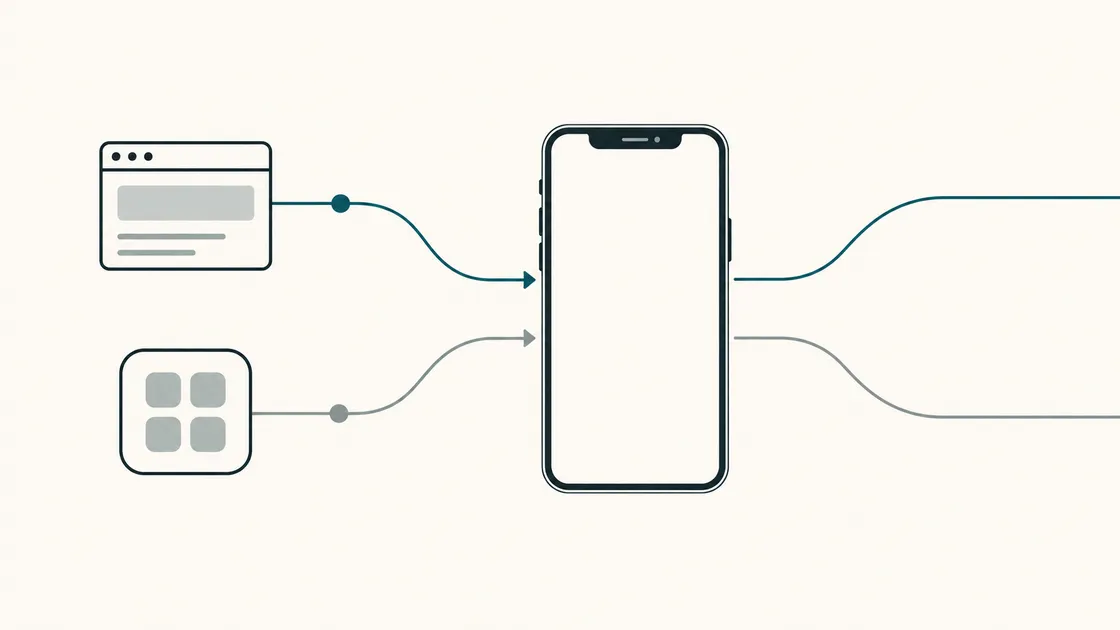
“We need an app” is a common opening to a project brief. It may be the right answer, but it names a solution before anyone has written down the problem.
That’s not a criticism of the people who say it. Apps are the most visible piece of software most of us touch, so they’re the first thing that comes to mind. But the useful starting point is a different sentence: what does a customer need to accomplish, and how often?
Answer that and you have a better basis for choosing. Sometimes it’s an app. For a business that’s just starting out, a website or web application may be a better first step.
What each option actually is
A mobile-friendly website. Pages anyone can reach by tapping a link or finding you in a search, laid out to work properly on a phone. Nothing to install. Visitors read, look, and get in touch.
A web application. Also reached through a browser, but users sign in and do things — submit forms, check records, manage bookings, see information that belongs to them. Still nothing to install.
A mobile app. Installed from the App Store or Google Play. It lives on the home screen and can use device capabilities where permissions and platform rules allow. It can be designed to work offline, but installation alone does not make it work without a signal. It may be built separately for each platform or with a cross-platform framework.
We’ve written separately about the line between a website and a web application, which is the distinction people find hardest.
Start with a website when
People need to find you. Public website pages can be discovered through search. An app-store listing can also be found, but it is a different discovery route. If a customer’s journey begins by searching for a service, a website is usually the clearest first step.
The job is information and enquiries. Explaining what you do, showing evidence of your work, answering questions, and giving people a way to make contact.
Use is occasional. Someone who needs you twice a year may prefer reopening a link to keeping an app installed.
Access should be simple. A link takes someone straight to a page. An app adds a store visit and download; depending on its design, it may also ask for permissions or an account. Those steps are worth considering when you’re testing an unfamiliar offer.
If that describes your situation, our launch checklist covers what a first site needs to include.
Consider an app when
Use is frequent and habitual. Daily or weekly. An icon on the home screen is genuinely valuable when someone opens it constantly, and dead weight when they don’t.
You need particular device capabilities. Background location, Bluetooth peripherals, biometric authentication or health data may favour an app, depending on the exact workflow. Browser support varies; for example, WebKit does not implement Web Bluetooth, so a web product that depends on that API cannot assume it will work in Safari. Check each required capability on the devices your users actually have.
Notifications matter to the product. Not for marketing — for the thing working. A delivery status, a shift change, an alert someone needs within a minute.
It must work offline. If users need to work for hours without a connection and sync later — perhaps at rural sites or in basements — offline behaviour needs to be designed and tested. An app may be appropriate, but offline support is not automatic.
The workflow deserves a dedicated space. A tool someone uses for two hours a day should be built for that use rather than squeezed into a browser tab.
One caution that applies to every item above: each of these is a hypothesis until it’s tested. “Users will want notifications” is an assumption. “Our customers are offline” is a claim worth checking against where they actually are. The cost of building an app on an untested assumption is considerably higher than the cost of checking first.
The middle ground
A web application sits between the two, and for a large number of business ideas it’s the honest answer. Users sign in, do real work, manage their own data — all without installing anything, and all findable through a normal link.
A progressive web app (PWA) goes a step further. Depending on its configuration and the browser, it can be added to the home screen, open like an app, and support some offline tasks. WebKit’s guidance says web push on iOS and iPadOS is supported for Home Screen web apps from version 16.4, and the permission request must follow direct user interaction, such as tapping a subscribe button.
That condition matters because users must take the Home Screen step before they can receive those notifications. Native apps have their own installation and permission steps too; compare the complete user journey, not just one feature.
So a PWA is a real option, not a universal substitute. Its suitability depends on the required capabilities, browser support and how well the offline experience is designed. Treat it as a candidate to evaluate rather than a way of avoiding the decision.
Three examples
These are invented for illustration — they aren’t client projects.
A local service business. A plumbing firm covering a city. Customers often find them when something breaks, which happens rarely and urgently, and the next step is a phone call. An app adds little to that journey.
Start with: a fast mobile-friendly website with a tappable phone number, clear coverage area and genuine customer feedback. Make it easy for a new customer to find and contact the firm.
A customer booking and account service. A driving school. Learners book lessons, reschedule, check progress and pay — weekly, over several months.
Start with: a web application behind a login. It supports frequent use and personal tasks without requiring installation. An app becomes worth discussing if user research shows that a dedicated experience or platform-specific features would help.
A field-team workflow. An installation company whose engineers visit sites, record work, photograph jobs and capture signatures — often in properties with no signal.
Start with: a mobile app designed and tested for offline use and later syncing. The camera is central, and the users are staff on known devices, so public discovery is less important. In this example, the offline need is a stated requirement, not a feature assumed to come with every app.
A short checklist
- Who are the users — the public, existing customers, or your own staff? Staff apps skip the discovery problem entirely.
- What must they accomplish? Write it as verbs. Read and enquire point to a website. Submit, track and approve point to an application.
- How often? Daily, weekly, or twice a year. Frequency is an important signal, but it isn’t the only one.
- How do they find you? If the answer is search, you need a website regardless of what else you build.
- Does it need the device? Camera, Bluetooth, sustained background location, offline operation. List them specifically, then check whether each is genuinely required.
- What content changes, and who changes it? This drives whether you need a content management system — covered in our CMS comparison.
- Who maintains it, and with what resources? Websites and apps both need upkeep. Consider content changes, security, compatibility testing and who will handle future improvements.
- How will you know it worked? Enquiries, bookings, hours saved, support calls avoided. Decide the measure before you build, not after.
What to build first
A smaller first release is not a compromise. It’s how you find out whether the idea works before committing to the larger version.
That may mean a website or a web application when access through a link is important. It can also mean a narrowly scoped app when device capabilities or offline work are essential. You learn what people actually do rather than relying only on predictions. Our article on MVP versus full mobile app covers what a first app release must still include, and what can wait.
And this isn’t permanently either/or. Plenty of businesses end up with both: a public website that brings people in, and an app for the customers or staff who use the service constantly. Building the website first doesn’t foreclose the app. It usually makes the app better, because by then you know who it’s for.
If an app turns out to be the right answer, our requirements checklist covers what to prepare before asking anyone for a quote.
Tell us what you’re trying to build
The right answer depends on the workflow, not on the technology. Describe what your users need to accomplish and how often they’ll do it, and we’ll recommend a sensible starting point before quoting for the agreed scope.