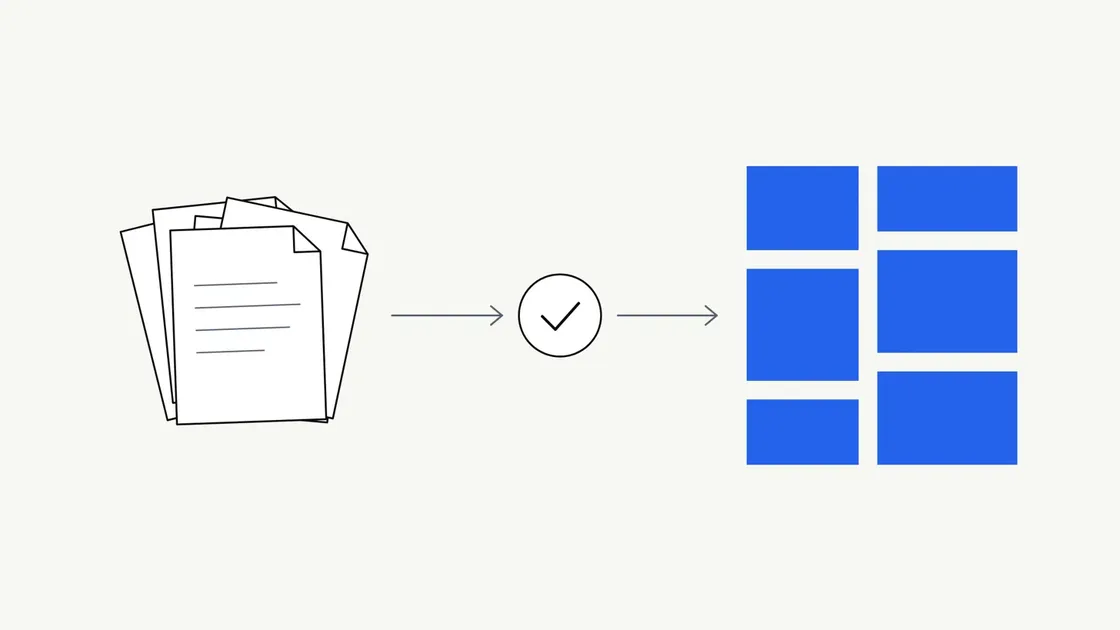
Most businesses are not short of information. They’re short of information in a usable shape.
The knowledge sits in a brochure from three years ago, a folder of PDFs, a specification sheet, the notes someone keeps for answering the same customer question every week, and a long email that explained the process better than any document you’ve published. It’s accurate, it’s yours, and it’s unusable as it stands.
“AI-assisted content” is a vague phrase, and vague phrases make business owners reasonably cautious. This article is about what the work actually produces: six concrete examples, with what goes in, what comes out, and what a person has to check before you rely on any of it.
What the service is
We take source material you’ve authorised us to use and turn it into deliverables agreed in advance. AI tools do the extraction and the first drafting. A person does the editorial review. You confirm the facts.
Two things worth saying plainly.
You’re buying finished work. Not prompts, not access to our internal tooling, not a system for producing content yourself. The tools are how we work efficiently; the deliverable is the document.
AI output is a starting point, not a publishable product. That’s stated in our AI use and content policy, and it’s the honest position: generated text can contain errors, and any fact-checking scope is agreed in the proposal rather than assumed.
We’ve written separately about turning business documents into website content. This article covers the other deliverables, the ones that never appear on a web page.
Six practical examples
These are illustrations of the kind of work involved, not guarantees of what any particular set of documents will produce.
1. Customer FAQs
Source material: support email threads, the question list your office keeps, notes from sales calls, an existing FAQ sheet that’s grown unevenly over several years.
Output: a deduplicated, ordered set of questions and answers, each answering in its first sentence. Often shorter than what you started with, because the same question usually appears in four slightly different forms.
What a person checks: whether each answer still reflects current practice. Support archives are the richest source and the most likely to be stale. A reply written eighteen months ago may describe a process you’ve since changed, so every answer needs confirming against how you work today.
2. Service descriptions
Source material: past proposals, tender responses, a brochure, your price list, the way you explain the service on the phone.
Output: a consistent description per service covering what it includes and excludes, who it suits and what happens next. Usable in proposals, quotes, capability statements and printed material.
What a person checks: scope boundaries, and inconsistency between sources. Proposals are written to win specific work, so they sometimes promise more than your standard offer. A description that quietly widens your scope is a commercial risk, not just an editing error.
3. Product summaries
Source material: specification sheets, manufacturer documentation, technical datasheets, internal comparison notes.
Output: short summaries in a repeatable structure: what it is, what it does, key specifications, what it suits. Useful for catalogues, quotes and internal reference.
What a person checks: the numbers, one by one. Specifications are exactly the kind of detail that looks plausible when wrong. Dimensions, tolerances, compatibility, certifications and model numbers are checked against the source document rather than accepted because they read correctly.
4. Onboarding guides
Source material: process notes, a handful of procedure documents, screenshots, and whatever your most experienced person explains verbally to every newcomer.
Output: a guide in sequence: what happens first, what the new person needs, who to ask, what to do when something goes wrong. It works equally for onboarding a new customer or a new member of staff.
What a person checks: whether the documented process matches the real one. Written procedures drift from practice, and the gaps are invisible to whoever wrote them. Someone who does the job needs to read the draft, not only someone who manages it.
5. Reports and summaries
Source material: a long report, meeting notes, survey responses, or a lengthy document that needs condensing for a board or a team.
Output: a short summary, a list of key points, or a version written for a different audience than the original.
What a person checks: what was lost. Summarising compresses, and compression strips out qualifiers such as “may”, “in certain circumstances” and “subject to approval”. Those words often carry the meaning. A summary that sounds more certain than its source has changed the content, and that’s the failure to look for.
6. Structured recommendations
Source material: your own criteria, the options you’re considering, supplier documentation, requirement lists.
Output: options set out side by side in the same structure: what each involves, how it measures against your stated criteria, and what trade-offs apply.
What a person checks: everything. This is the deliverable where generated text is most likely to sound authoritative without support. A point that can’t be traced back to a supplied source is a guess in a confident voice, so it’s removed or marked as needing your input. The decision itself stays with you.
What AI helps with, and what it can’t verify
It helps with reading across many documents at once, pulling out every distinct point, spotting where the same claim appears in different forms, grouping related material and producing a structured first draft much faster than writing from nothing. That’s a real saving, and it’s why this kind of work is practical at a sensible cost.
It can’t tell you which version is true. When two of your documents disagree about a timescale or what’s included, generated text often reads smoothly and quietly picks one. Settling that is a question for you.
It can’t tell that a fact is out of date. A confident sentence about an accreditation you no longer hold looks identical to a correct one.
It can’t reliably match your voice without examples. Left alone, it drifts toward a generic professional register: fluent, slightly hedged and not quite how you speak.
It won’t reliably flag what’s missing. Its default is to produce something that reads well whether or not the information exists. That’s why gaps are marked for you to answer, never filled in.
It can’t make an unsupported claim safe. Anything about performance, qualifications, compliance or results needs a source. Output is not legally checked by default, and material touching regulated areas needs proper review from someone qualified.
Which is why review isn’t a formality at the end. It’s the part that makes the rest usable.
What to prepare
- Who it’s for. Customers, staff, a board, a partner. Different readers need different documents from the same facts.
- Approved source files. The ones you’d stand behind today. A dozen documents you trust are more useful than ninety containing three versions of the same thing that disagree.
- The format you want. A Word document, a PDF, a spreadsheet, or sections to drop into your own template.
- Examples of tone. Two or three pieces of your own writing that sound right to you. This does more for the result than any description of tone.
- One person who can confirm facts. Named, with the authority to say what’s true. Projects stall when several people give conflicting feedback and nobody can settle it.
A note on suitability: not every document is appropriate. You need permission to supply the material, and personal data the work doesn’t need should be removed first. Highly sensitive, regulated or legally privileged material needs review before anything happens and may be declined. That’s better established at the start than halfway through.
A sensible workflow
- Enquiry. Describe what you have and what you want, in general terms. Don’t attach confidential files at this stage: enquiry forms send email, and email isn’t a secure channel.
- Scope and quote. What’s being produced, in what format, how many revision rounds, what’s excluded and what fact-checking is included. Agreed in writing before work starts.
- Document transfer. An appropriate transfer method is set up once you’ve engaged us. If personal data is involved, the handling arrangements are settled here.
- Drafting. Extraction, structuring and first-pass copy.
- Human review. Claims traced to sources, conflicts surfaced rather than smoothed over, clarity and tone improved, gaps marked.
- Your corrections. You answer the flagged questions and confirm the facts.
- Final delivery. In the agreed format, ready for you to use once you’ve approved it.
A short checklist
- Do you have documents you’d stand behind today?
- Can you name the audience for each deliverable?
- Do you know what format you need at the end?
- Is there one person who can confirm what’s true?
- Have you set aside anything too sensitive or regulated to send?
- Are you comfortable that drafts need your review before use?
If most of those have answers, there’s probably something useful to be made from what you already have.
Tell us what you’ve got
Describe your source material and what you’d like at the end of it. We’ll tell you honestly whether there’s enough there to work from, and what we’d need from you along the way.